
Captive starting point
Begin inside established captivity.
Captivity, weaknesses and viable escape routes
Prepare a playable breakout with guarded routines, exploitable weaknesses and viable routes. Give captives a plan and choices under pressure.

Captivity, weaknesses and viable routes
Prepare a working prison with fair gaps and meaningful choices.
Begin inside established captivity.
Connect guards, restraints and schedules.
Prepare three to six weaknesses.
Offer two to four ways to escape.
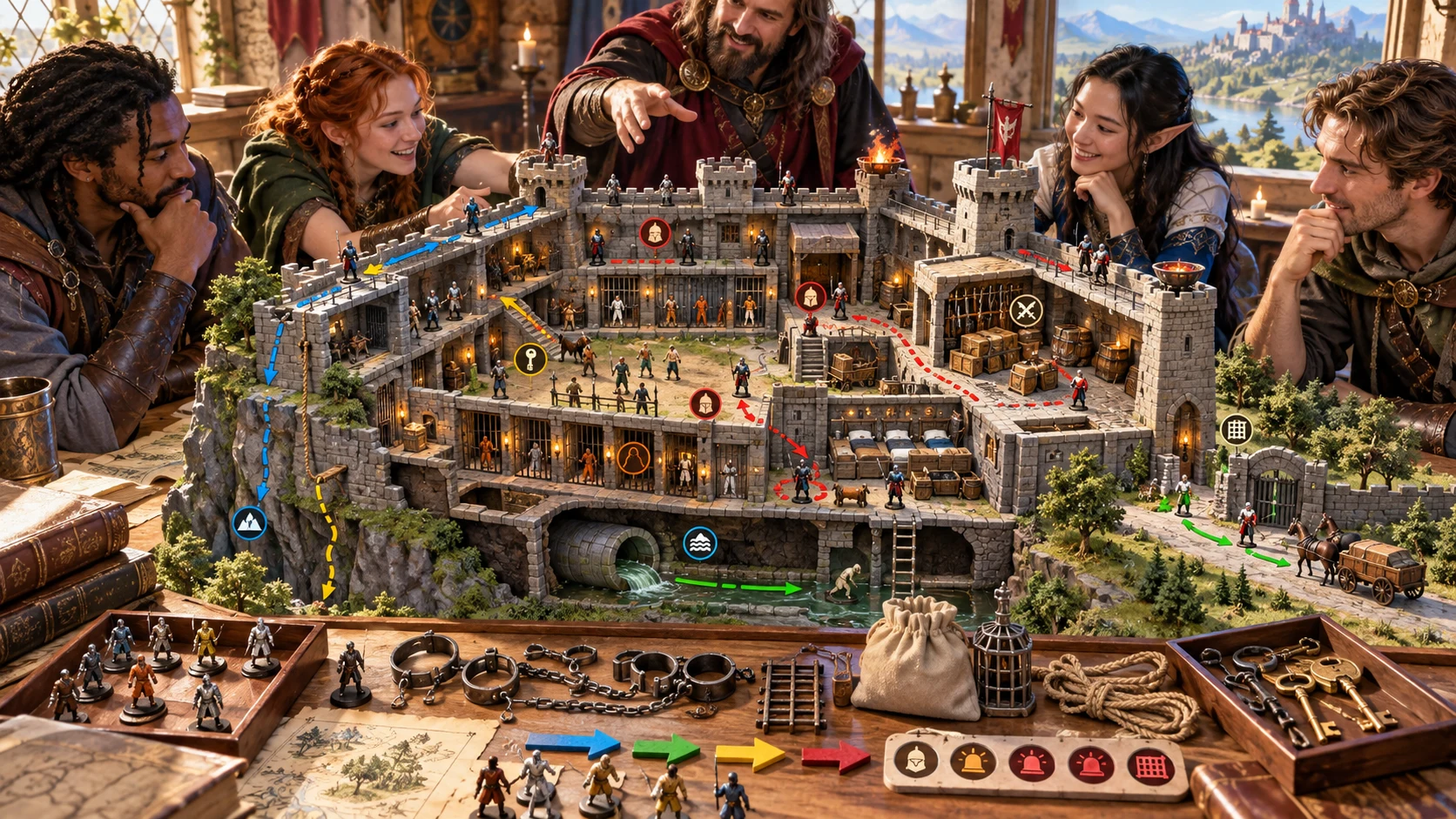
Prepare the breakout
The illustration represents fictional breakout planning, not an application screen or generated image output.
Review guarded zones, restraints, schedules and confiscated property.
Compare weaknesses, viable routes and the alarm ladder.
From captivity to immediate aftermath
Connect the escape route to the people, routines and risks.
Choose the site, captor, security and party tier.
Review routines, resources, leverage and gaps.
Compare viable routes and prepare the stages.
Review lockdown, recapture and post-escape state.
Your captivity and breakout toolkit
Prepare a working prison and practical choices for the captive party.
Begin with the party already held inside a guarded site.
Prepare restraints, confiscated equipment and ways to recover it.
Give guards, fellow prisoners and inspections a working schedule.
Create exploitable gaps without making every guard incompetent.
Offer distinct escape paths with practical requirements and risks.
Prepare an alarm ladder, complications and rising recapture pressure.
Describe the post-escape state and next immediate decisions.
Edit, lock, save versions and review the chosen dossier or handout.
Choose the detail the party needs
Shape the captivity around the campaign and its boundaries.
Choose captivity type, captor, security, party tier and tone.
Add restraints, confiscated gear, magic and inspections.
Develop competence, corruption, prisoners and outside allies.
Set time pressure, violence, lockdowns and private context.
Refine the breakout for your table
Preserve useful discoveries while revising the escape plan.
Adjust guards, routines and requirements.
Keep confirmed details while changing selected sections.
Retain and reopen the breakout dossier.
Review the DM dossier or player discovered information.

The immediate aftermath
Review the route requirements and staged breakout plan.
Check complications, alarm escalation and recapture pressure.
Review immediate post-escape decisions before sharing discoveries.
An inside-out captivity problem
Use the breakout plan for established captivity and immediate aftermath.
Begin with the party already held in a guarded site.
Site construction, moving chases and wider quests have their own tools.
Send selected guards and a fight objective to an inactive Combat PRO encounter.
Review the chosen player discoveries for audience and spoilers.
Choose your generator access
Choose the required generator access and review current pricing in your account.
Choose the required access for Escape, Captivity & Breakout Generator as a selected standalone generator.
Select this generator within an eligible pack. Review current capacity and pricing in your account.
Other generators, Battlemaps and image-credit products have their own access arrangements. They are not included automatically.
Create a free account, choose the required generator access and use Desktop Command Centre on Windows.
VISINVOKE means value
A focused tool for captivity, escape routes and the decisions around a breakout.

Connect people, property, restraints and routines.
Prepare exploitable gaps within believable security.
Compare requirements, risks and stages.
Prepare alarm, recapture pressure and post-escape decisions.
Build your tabletop toolkit
Each card opens its own product website. Review purpose and access separately; related products do not promise included access or automatic synchronisation.

Open your VISINVOKE products from Windows.

Frame a live exchange after an established social mistake.

Build the wider setting around your campaign.

Develop the places your party travels through.

Explore separate adventure environments.

Explore separate fantasy image creation.
Product artwork illustrates fictional scene preparation, not application screens or actual generated image output.
Quick answers
Understand captivity, route choices, alarm and selected exports.
Prepare an inside-out breakout from established captivity. The result includes a captivity dossier, zone map, routine and schedule, guard and prisoner rosters, confiscated property, three to six weaknesses, two to four viable escape routes, a staged breakout plan, alarm ladder, complications, recapture pressure and immediate post-escape state.
Quick chooses captivity type, captor, security, party tier and tone. Deep adds restraints, confiscated gear, legality, magic restrictions, guard competence, corruption, inspections, prisoner relationships, keys and credentials, hidden passages, bargaining, outside allies, time pressure, violence, lockdowns and private context.
Prepare three to six exploitable weaknesses and two to four viable routes. Connect each route to guarded zones, routines, restraints, available resources and practical risks. Give the prison competent guards and fair gaps, then review the breakout for your party and table.
Optionally choose guards and the immediate breakout or recapture fight objective to prepare an inactive Combat PRO encounter. Only those selected guards and that objective transfer. Captivity zones, routines, routes, alarm state and all unselected people stay in this generator. The handoff does not start combat automatically.
Edit and lock confirmed details, selectively change sections and use undo. Save account-library versions, rename or duplicate a variant, add tags and notes and reopen the dossier. Copy, download JSON or print the chosen Dungeon Master dossier or player discovered-information handout. Review the selected passages for audience and spoilers before sharing.
Open Escape, Captivity & Breakout Generator from the Generators collection in Desktop Command Centre on Windows. Create a free VISINVOKE account and review current access and pricing for the selected standalone generator or an eligible pack. Other VISINVOKE products have separate access arrangements.
Continue in VISINVOKE
Create a free VISINVOKE account and choose generator access.
Get Desktop Command Centre from your account installer page. Sign in on Windows and open Escape, Captivity & Breakout Generator.